This comprehensive guide outlines the required downloads, step-by-step procedures, and troubleshooting strategies to successfully unlock your Samsung SM-J106H device. What is the Samsung J106H FRP Reset File?
This older method uses the accessibility feature to reach the device settings or a web browser to download bypass APKs like Google Account Manager FRP Bypass.apk
To avoid FRP issues in the future, you can disable it on your Samsung J106H: samsung j106h frp reset file
Resetting an FRP lock on your Samsung J106H can be a straightforward process when you have the right tools and follow the steps carefully. Always exercise caution when downloading files, and ensure they are from reliable sources to avoid malware. With patience and precision, you should be able to regain full access to your device.
Once the phone boots into a factory test menu, enable in Settings. Always exercise caution when downloading files, and ensure
: This contains the specific combination firmware or modified boot file that disables the Google lock.
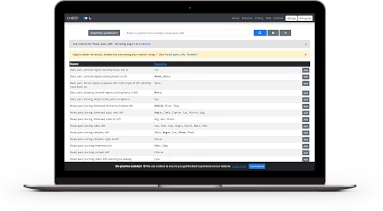
Short video tutorials to learn all about OOREP's features on : This contains the specific combination firmware or

(Also available on YouTube)

Built using proven open-source technologies and products. You can also download all the source code and run your own version of the software.
Works with any computer and OS. All you need is a web-browser - no installations, serial numbers or dongles.
Search in well-known repertories and materia medicas like Kent, Boger, Hering, etc.
Very easy to use: only the essential features - no distractions, no non-sense.
Widen your search using wildcards, like 'cough*, dry*', or narrow it down using '-' (minus).
Although repertorisation requires screen real estate, OOREP's responsive design supports mobile devices.
This comprehensive guide outlines the required downloads, step-by-step procedures, and troubleshooting strategies to successfully unlock your Samsung SM-J106H device. What is the Samsung J106H FRP Reset File?
This older method uses the accessibility feature to reach the device settings or a web browser to download bypass APKs like Google Account Manager FRP Bypass.apk
To avoid FRP issues in the future, you can disable it on your Samsung J106H:
Resetting an FRP lock on your Samsung J106H can be a straightforward process when you have the right tools and follow the steps carefully. Always exercise caution when downloading files, and ensure they are from reliable sources to avoid malware. With patience and precision, you should be able to regain full access to your device.
Once the phone boots into a factory test menu, enable in Settings.
: This contains the specific combination firmware or modified boot file that disables the Google lock.